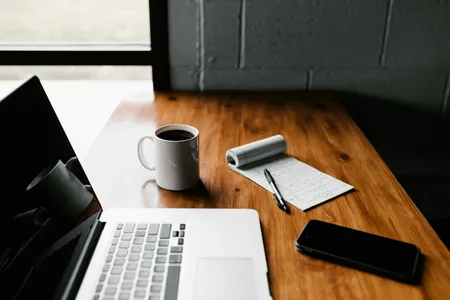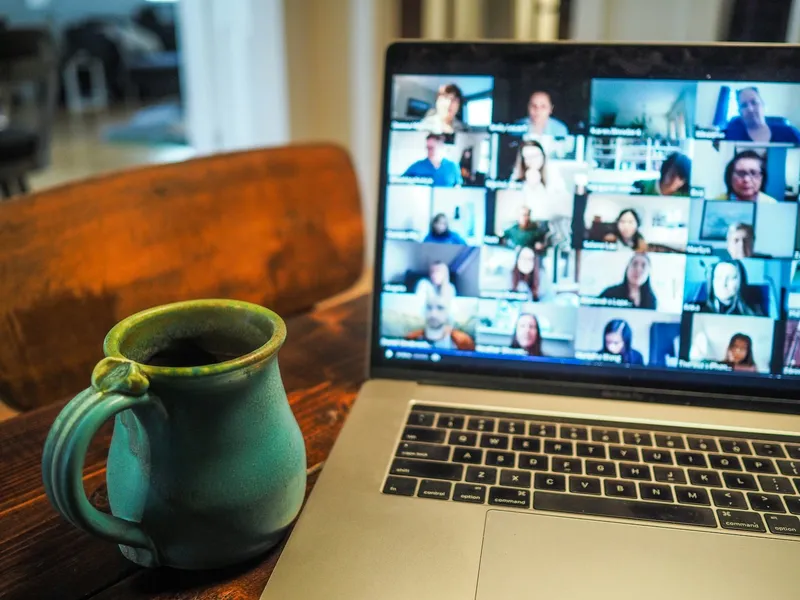
Picture this: you join the call two minutes early, the interviewer’s face fills your screen, and you realize your own image is a dark silhouette in front of a bright window. Your laptop fan is whirring. Someone’s delivery just arrived at the door. None of it says anything about whether you can do the job, yet all of it competes for attention with your answers.
A video interview tests your qualifications and your setup at the same time. The good news is that the setup part is almost entirely fixable in an afternoon. This guide walks through it in the order you will actually need it: a week out, the night before, the minutes before you join, the conversation itself and the follow-up.
Key takeaways
- Test the exact device, app and internet connection you will use, ideally with another person on the line.
- Put the camera at eye level and soft light in front of your face, not behind your head.
- Look at the lens when you speak, and pause a beat before answering to absorb any lag.
- Save the interviewer’s phone number and email so a dropped call is a minor hiccup.
- Verify that the interview request is real before you share personal details.
Why video changes the interview
In a room, a handshake, a smile and a bit of small talk build rapport almost automatically. On a screen, the interviewer gets your face, your voice and a slice of your home. Each of those is now doing extra work.
TopResume’s guidance on virtual interviews makes the same point in practical terms: build rapport on purpose, with a smile, a nod and a little small talk at the start, because the camera flattens the natural warmth that happens in person. Villanova University’s career center adds that you should come across as prepared and gesture naturally without overdoing it.
There is a flip side: you control the lighting, the background, your notes and the quiet around you. In-person interviews rarely offer that.
A one-week timeline
Don’t try to fix everything the night before. Spread the work out.
| When | What to do |
|---|---|
| 5 to 7 days before | Confirm the platform, date, time zone and who will be on the call. Research the company and role. Start practicing answers out loud. |
| 2 to 3 days before | Run a full test call with a friend, using the same device, room and app. Fix whatever they flag. Choose and try on your outfit. |
| The day before | Update the app and restart your computer. Charge devices. Save the interviewer’s phone number and email. Lay out notes. |
| 1 hour before | Eat, use the restroom, close extra apps and tabs, silence notifications. Tidy what the camera can see. |
| 10 to 15 minutes before | Join the waiting room or link. Keep your resume, the job posting and a notepad within reach. |
UMass Global’s career advice recommends installing or updating the video platform ahead of time, restarting your computer and learning how to mute and unmute. It sounds minor until you are hunting for the microphone icon with a stranger watching you.
Build your technical setup
Start with the thing most likely to fail: the connection. Villanova’s handout recommends a strong, reliable internet connection, wired if you can manage it. If you cannot plug in, sit close to the router and ask others in your home to stay off streaming and big downloads during your call.
Pick the right device
Villanova suggests a desktop, laptop or tablet on a stand rather than a phone, partly so your hands are free for natural gestures. A phone propped on a mug will wobble, ring or lock its screen at the worst moment. If a phone is truly your only option, lean it on something heavy and turn on do-not-disturb first.
Check audio before video
Muffled sound hurts an interview faster than a messy shelf. Northeastern University’s graduate career resources advise using an external webcam or microphone if your video looks grainy or your audio sounds muffled. The University of Delaware’s career center similarly notes that a webcam with a built-in microphone can help if you hear echo. Whatever you choose, test it on a call first.
Technical checklist
- Charge your device and plug it in anyway.
- Close every app you do not need, especially ones that ping.
- Restart the computer a few hours before, not five minutes before.
- Run the platform’s built-in audio and video test.
- Know where the mute, camera and chat buttons are.
- Keep a second device (a phone or tablet) charged and logged in to the same email account, in case your laptop fails.
- Use a simple, professional username and email address. Northeastern flags this one directly.
Practice on the real thing
Do not test with a different laptop, a different room or a different app than the one you will use. Villanova’s guide recommends several practice runs with friends, family or a career counselor. Ask your practice partner three things: Can you hear me clearly? Is my face lit evenly? Do I look at you or past you?
Lighting and framing
Lighting is the quickest upgrade you can make, and the advice you will read is a little contradictory, so it helps to sort it out.
Northeastern says sitting near a window works best so light falls on your face and you do not look washed out. Villanova says to put a soft light source in front of you and avoid shadows on your face. TopResume describes natural light coming from behind your screen. UMass Global suggests placing a lamp behind your computer rather than behind you. These sound different but they mean the same thing: the light should come from the direction the camera is facing, so it lands on your face. The thing to avoid is a bright window or lamp behind your head, which turns you into a silhouette.
Quick lighting fixes
- Face a window if you have one. Check how it looks at the actual time of your interview, because sunlight shifts.
- No window? Put a desk lamp behind or beside your laptop, aimed at a wall or ceiling so the light bounces softly instead of glaring.
- Wearing glasses? UMass Global suggests checking for screen glare. Tilt the screen slightly or move the lamp until the reflection disappears.
- Turn on a second lamp if one side of your face is much darker than the other.
Camera height and distance
Villanova advises setting the camera at eye level, far enough back that your head and shoulders are in view, and facing it straight on. Stack books under a laptop until the lens is level with your eyes. A camera looking up your nose or down at your forehead is distracting.
For distance, TopResume suggests framing your shoulders, chest, face and the top of your head. UMass Global says to leave a little space above your head with your shoulders visible. The test is simple: if the interviewer would need to squint to read your expression, move closer. If your head is cropped, move back.
Background, sound and interruptions
Northeastern’s advice is to use a plain background or a tidy, businesslike room, and to clean the space beforehand since clutter can suggest disorganization. A blank wall is a safe bet, and so is a tidy bookshelf. Nothing needs to be fancy.
Virtual and blurred backgrounds are acceptable when the platform supports them, according to Villanova, but test them with your hair and clothing. Cheap virtual backgrounds can make your shoulders flicker or swallow your hands when you gesture. If that happens, tidy a corner instead.
Control the noise
- Silence your phone, turn off the TV and close the windows, as Northeastern advises.
- Tell the people you live with when you will be on the call, and put a note on the door.
- Arrange for someone else to handle pets, kids or deliveries if possible. TopResume suggests warning the interviewer in advance about any likely background noise.
- If you cannot control the room, say so politely at the start. A one-line heads-up is better than an apology after a dog barks.
Don’t borrow a noisy space
A coffee shop, a parked car or a shared office are bad choices unless you have no alternative. If you need a private space, ask whether a local library offers a bookable room, or whether a career center near you has one. Some university career centers, Villanova’s among them, let students reserve a room for virtual interviews, so ask yours.
What to wear
Dress as you would for an in-person interview with that employer. TopResume suggests finding out how employees at the company dress and matching that level of formality, even though you are at home. Northeastern recommends solid, richer colors and avoiding busy patterns, which can shimmer on camera.
UMass Global adds a point worth remembering: dress professionally from head to toe. Full professional attire can help you feel composed, and it protects you if you need to stand up unexpectedly to adjust something or fetch a charger.
During the interview
The first minute
Join about 10 to 15 minutes early, as TopResume recommends. If the meeting has not opened yet, keep trying at intervals. Once inside, greet people by name, say your own name clearly and smile.
A short script helps if you are nervous:
Opening lines
“Hi, Ms. Alvarez, thank you for making time today. I’m Sam Carter. Can you both see and hear me clearly? Great. I’m excited to talk about the operations coordinator role.”
(That example is illustrative, so swap in the real names.) Checking audio at the start costs ten seconds and spares you from a long answer delivered on mute.
Eye contact and posture
Looking at the lens, not at the faces on the screen, is the closest you can get to eye contact. UMass Global and the University of Delaware both say this directly. It feels strange. The trick TopResume offers is to shrink the video window and move it as close to your webcam as possible, so your natural glance at the interviewer’s face lands near the lens.
Sit up straight, smile and nod when you listen, and keep gestures inside the frame.
Handling the lag
Video calls have a small delay. Pause for a beat before you answer so you do not talk over someone. When you finish a long answer, signal it with a short closing line, such as “That’s the main example I wanted to share. Happy to go deeper on any part.” TopResume recommends this kind of signal to avoid awkward silences.
If you did not hear a question, ask for it to be repeated. Nobody minds.
Notes without a script
Keep talking points on sticky notes near the camera, as Northeastern suggests, but do not memorize or read a script. The University of Delaware quotes career counselor Rena’e Love: “Practice, don’t memorize.” A good note is three words that remind you of a story, such as “warehouse, inventory, 20% faster.” Prepare stories ahead with the STAR method.
If you need to look something up, say so. “Let me check my notes on that for a second” sounds fine. Silent typing sounds like you are searching for the answer.
If something goes wrong
Technology fails even when you prepare well. Villanova’s handout says to get your interviewer’s phone number and email in advance for exactly that reason. Here is how to handle the most common failures.
| Problem | What to do |
|---|---|
| Your connection drops | Rejoin right away. If you cannot get back in two minutes, email the interviewer and offer a phone call. |
| The app crashes | Restart it, or join from your backup device. |
| You cannot hear them | Say so politely and suggest switching to phone audio. |
| Their audio or video is bad | Stay patient and offer a solution, such as calling in. |
| A pet or family member appears | Apologize briefly, deal with it and carry on. |
| Your mind goes blank | Take a sip of water and say, “Give me a second to think.” |
UMass Global’s advice is simple: if something fails, stay calm. Interviewers know the technology is imperfect, and how you handle the problem tells them something useful.
Email after a dropped call
Subject: Technical issue during today’s 2 p.m. interview
“Hello Mr. Brooks, I’m sorry my connection dropped during our call. I’m available right now by phone at (555) 555-0123, or I can reschedule at your convenience. Thank you for your patience.”
Recorded and one-way interviews
Some employers ask you to record answers to set questions without a live person. The setup rules above still apply, but a few things change:
- Read the instructions fully. Note time limits, number of retakes and whether you get prep time.
- Practice on camera first. Villanova points to mock interview tools such as Big Interview, and the University of Delaware recommends recording yourself to catch fidgeting, lighting and camera height.
- Talk to the lens as if a person is behind it. It is easier if you pick a spot and imagine a friendly face there.
- Keep answers focused and within the time limit.
Make sure the interview is real
Job scammers exploit video interviews because candidates are eager and a screen hides a lot. The Federal Trade Commission’s job-scam guidance names clear red flags: promises of quick, high earnings for little work; requests to pay for a job, training or certifications; and instructions to deposit a check and send part of it back. Its line on the last one is blunt: “Never bank on a ‘cleared’ check.”
Fake interviews are a known scam pattern, and a text-only “interview” or a recruiter who reaches you only on a chat app is a reason to slow down. Before you join:
- Search the company and the recruiter’s name with words like “scam” or “complaint,” as the FTC recommends.
- Confirm the job on the company’s own careers page.
- Check that the meeting link comes from a company email address or a standard platform.
- Never pay for equipment, training or a background check up front.
- Do not share a Social Security number or bank details before a written offer.
For a longer list, read our guide to job scam red flags. If you are scammed, the FTC says to report it at ReportFraud.ftc.gov or to your state attorney general. This is general information, not legal advice.
Common mistakes to avoid
- Testing the wrong setup. A flawless call on your phone does not guarantee the laptop works.
- Looking at yourself. Hiding the self-view window, if the app lets you, removes the temptation.
- Light behind you. The most common and most fixable problem.
- Reading answers. Interviewers can see eyes drifting sideways.
- Skipping the follow-up. Many candidates stop at “thanks for your time.”
- Forgetting the interviewer’s contact info. One missing phone number can turn a hiccup into a cancellation.
- Dressing only from the waist up. It is a small risk, and an avoidable one.
- Not preparing your own questions. UMass Global notes that the interview runs both ways, and Delaware suggests asking about a typical day or the company’s current goals. See our list of smart questions to ask your interviewer.
After the call
Send a short thank-you email to each interviewer within 24 hours. Northeastern and Delaware both recommend this, and Northeastern adds that the note is a chance to clarify or expand on an answer you wish you had handled differently. Mention one specific detail from the conversation. Our follow-up email templates include versions you can adapt.
Then write down every question you were asked, what went well and what you would change. If you want a full plan covering research, practice and logistics, our interview preparation guide pulls it together. None of this guarantees an offer, but it keeps a fixable detail from costing you one.
The bottom line
Virtual interviews reward the candidate who has removed distractions. You do not need expensive gear, only a stable connection, a lamp in the right place, a quiet corner and a calm plan for when things go wrong.
Your next steps:
- Schedule a test call with a friend this week, using the real device and app.
- Fix lighting and camera height first, then sound.
- Save the interviewer’s phone number and email in your phone.
- Write three one-line story reminders on sticky notes.
- Verify the employer and the meeting link before you join.
- Send a thank-you email within a day.